Letting My AI Agent Build and Publish to Ghost CMS: What Actually Happened
On May 10, I asked my AI agent Hermes a simple question: "What blogging platforms can you manage?" It found no existing Ghost CMS skill in its library, so it researched the Ghost Admin API and built one from scratch. Two days later, I asked it to write a blog post about what it built — and publish it. This is that post.
What follows is the actual story: no carefully selected "design decisions," no sanitized post-hoc narrative. Just what happened when I told an AI agent to build a Ghost integration, debug JWT auth against a real Cloudflare-protected site, and document the process.
How It Started
I run Tech Notes by Cosmohub on Ghost 6.37. It had a few posts I'd written manually — the usual process: open Ghost editor, write, upload images, set SEO fields, publish. Functional but tedious. I'd been using Hermes Agent heavily for infrastructure work (self-hosting Honcho, Firecrawl, OpenRouter migrations, TOML config debugging) and had a growing collection of notes about what we'd done. The gap was obvious: all that knowledge existed, but it wasn't connected to the blog.
On May 10, 2026 at 23:37, from Discord, I asked Hermes what it could do with a blog. It searched its skills, found nothing for Ghost, and offered to build one.
The Build (One Session, Real Debugging)
Hermes built the entire integration in a single session. Here's what actually broke and got fixed, in order:
1. JWT Authentication — Hex-Encoded Secrets
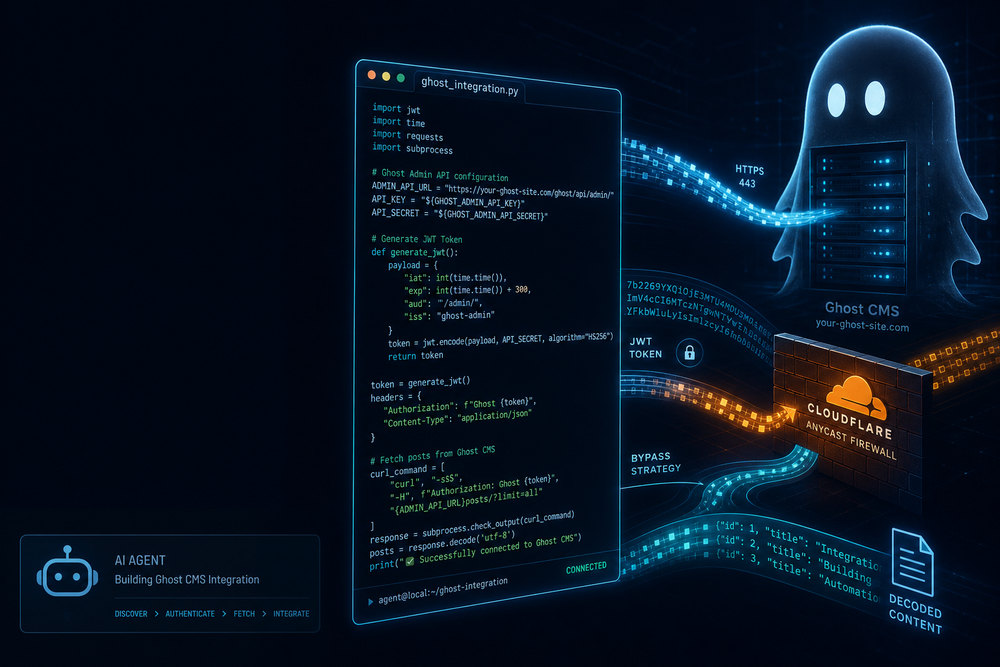
Ghost's Admin API uses JWT with HS256. The Admin API key format is id:secret where the secret is hex-encoded. The initial bash-based JWT generator kept returning 401 Unauthorized because it was using the secret string directly as the HMAC key instead of hex-decoding it first.
The fix: bytes.fromhex(secret) in Python, not secret.encode(). This is documented everywhere in the Ghost API docs but easy to miss when you're generating tokens with bash.
# The working Python JWT generation
import jwt, time
key_id, secret = admin_key.split(':')
token = jwt.encode(
    {"iat": int(time.time()), "exp": int(time.time()) + 300, "aud": "/admin/"},
    bytes.fromhex(secret),  # CRITICAL: hex-decode, not encode()
    algorithm="HS256",
    headers={"alg": "HS256", "typ": "JWT", "kid": key_id}
)
2. Cloudflare + HTTP/2 = 403 Forbidden
techblog.cosmohub.work sits behind Cloudflare. Python's urllib (and even requests with standard headers) got 403 Forbidden (Error 1010) on Admin API endpoints. This was consistent and reproducible — Python HTTP/2 libraries simply couldn't reach the admin endpoints.
The fix: shell out to curl --http1.1 for all Admin API calls. This became a core constraint of the skill — not a design preference, a hard requirement for Cloudflare-proxied Ghost instances.
# The only reliable approach for Cloudflare + Ghost Admin API
curl --http1.1 -X POST "https://techblog.cosmohub.work/ghost/api/admin/posts/" \
  -H "Authorization: Ghost $TOKEN" \
  -H "Accept-Version: v5.0" \
  -H "Content-Type: application/json" \
  -d '{"posts": [{"title": "..."}]}'
3. Bash JWT Padding Issues
The first implementation was a bash JWT generator. It suffered from base64url padding and newline insertion bugs — base64 output had embedded newlines that broke the token structure. This led to 400 Bad Request responses before the switch to Python.
The bash script still exists as a reference but all production token generation now uses Python's jwt library.
What Was Built
By the end of that May 10 session, the Ghost CMS skill had:
- A multi-site CLI — JWT auth, post CRUD, image upload, member/tier management, all via curl with HTTP/1.1
- A standalone bash JWT generator — kept as reference after the Python rewrite
- An SEO checker — audits all published posts, auto-fixes meta descriptions, canonical URLs, and meta titles
- A site exporter — on-demand backup to markdown with YAML frontmatter
- Multi-site configuration — per-site domain, API keys, and HTTP version, all driven by environment variables
The architecture is straightforward:
Site config → CLI tool → JWT token → curl --http1.1 → Ghost Admin API
     ↑
Environment (.env: API keys)
Zero SDK dependencies. No Node.js, no npm, no Ghost SDK. Just Python's jwt library and curl.
Backed by My Notes
Every technical decision and debugging session is documented in my personal knowledge base — architecture notes, session learnings (what worked, what didn't, open questions), and a full API reference with JWT generation code, error codes, and HTTP requirements.
The daily log for May 10 records three infrastructure sessions before the Ghost work: OpenRouter embedding migration (25 models audited), Honcho LLM fix plus DeepSeek v4-flash migration (six pitfalls discovered), and Honcho deriver fix. The Ghost CMS skill was built at the end of that day.
What It Can Do
Posts
python3 ghost.py techblog list-posts
python3 ghost.py techblog get-post my-slug
python3 ghost.py techblog create-post /tmp/post.json
python3 ghost.py techblog publish-post <id> "2026-05-12T10:00:00.000Z"
Images
python3 ghost.py techblog upload-image /tmp/image.png
# → Returns: https://techblog.cosmohub.work/content/images/2026/05/image.png
SEO Audit
python3 seo-check.py techblog          # Check all posts
python3 seo-check.py techblog --fix    # Auto-fix meta tags
The SEO checker auto-fixes: missing meta descriptions (generated from first paragraph), missing canonical URLs (constructed from slug), and missing meta titles. Manual fixes are required for: thin content (<300 words), no subheadings, and missing featured images.
Multi-Site
Adding a second blog takes three steps: register it with its own environment variable name, add the API key to your environment, and start using it. Each site configures its own domain, API version, and HTTP version independently.
Membership
The skill handles Ghost's built-in membership: tier management (free + paid), member CRUD, comping (free paid access without Stripe), newsletter listing, and tier-specific content visibility.
The First Publish (This Post)
On May 12, I asked Hermes to generate and publish a blog post about the Ghost CMS skill. This is the first post published through the automated workflow:
- Hermes searched its session memory for the Ghost CMS build session
- Read my personal notes (architecture docs, session learnings, API reference, daily logs)
- Generated a context-aware featured image (AI-generated header image matching the post topic)
- Created the post as a draft via Ghost Admin API
- Uploaded the featured image and attached it to the post
- Combined image attachment + publishing into a single API call (a workflow optimization discovered during testing)
- Ran SEO auto-fix to generate meta tags
The post content is written by Hermes from its own knowledge of building the skill — no external LLM was used for content generation. This is the key insight: the value is in giving the agent access to real, experience-based knowledge rather than asking a generic LLM to write blog filler.
What's Not Done (Yet)
I'm not going to pretend this is a finished, battle-tested system. Here's what's still open:
- Knowledge-driven content posts — The workflow where Hermes reads my notes about Firecrawl setup or Honcho configuration and writes a post hasn't been tested yet. This post is the first test of basic publishing.
- Comment management — Ghost Comments enabled via UI, but no API commands for listing/approving/deleting comments.
- Analytics CLI — Ghost tracks post performance (opens, clicks, signups) but there's no CLI command for it.
- Webhook → social media — Auto-post to X/Twitter when a post goes live. Later priority.
- Newsletter automation — Posts can be sent as email, but "publish + send" isn't automated.
These are all on the radar but none are urgent. The core publishing pipeline works.
Key Learnings
After two days of building and testing:
- HTTP/2 + Cloudflare is a minefield. Just force HTTP/1.1 and move on. This isn't a Ghost problem — it's a Cloudflare proxy behavior that affects many API integrations.
- Hex-encoded JWT secrets are a trap. Ghost's documentation mentions it, but it's the #1 cause of 401 errors. If you're implementing Ghost Admin API auth, test with Python's
bytes.fromhex()first. - Ghost requires
updated_atfor every PUT. Always GET before you PUT. This is optimistic concurrency — if you send a stale timestamp, Ghost returns 409. - Integration tokens can't touch billing. Want to enable paid memberships via API? Need a Staff Access Token. The integration token can manage members and tiers but not Stripe settings.
- Combine image + publish in one call. Ghost allows updating
feature_imageandstatussimultaneously — saves one API round-trip per post. - SEO auto-fix works on ALL posts. The checker audits every published post, not just the one you're working on. Running
--fixafter publishing cleans up older posts too.
How to Install
The skill is distributed as a standard Hermes skill. Two ways to get it:
Option 1: From a GitHub tap
# Add a GitHub repo as a skill tap
hermes skills tap add https://github.com/your-org/hermes-ghost-cms

# Install the skill from the tap
hermes skills install ghost-cms
The skill installs to ~/.hermes/skills/productivity/ghost-cms/ with all scripts, templates, and documentation.
Option 2: From a direct SKILL.md URL
# Install directly from a hosted SKILL.md
hermes skills install https://raw.githubusercontent.com/your-org/hermes-ghost-cms/main/SKILL.md
This downloads the skill and places it in your local skills directory. No git or npm needed.
Prerequisites
- Hermes Agent installed
- Python 3 with
pyjwt(pip install pyjwt) - curl available on your system
Setting It Up (If You Want To)
Once installed, setup takes about 5 minutes:
- Get your Admin API Key from Ghost Admin → Settings → Integrations → Add custom integration
- Register your site with its domain, environment variable name, and HTTP version
- Store the key:
echo "GHOST_MYBLOG_ADMIN_KEY=your_id:your_secret" >> ~/.hermes/.env - Verify:
python3 ghost.py myblog site-info
Full documentation covers all 18 commands, the complete endpoint reference, member JSON format, SEO check matrix, and error codes.
Closing
I didn't build this skill. I asked my AI agent to build it, reviewed its work, and gave it corrections when the JWT tokens failed. The agent wrote the Python CLI, debugged the Cloudflare issues, structured the multi-site config, and generated the SEO checker. I provided the Ghost API key, the site domain, and the direction.
This post is the first artifact of that collaboration — the agent writing about the tool it built, using the tool to publish. The next test: can it do the same thing with content distilled from my notes — a post about self-hosting Firecrawl, or configuring Honcho, drawn from real debugging sessions rather than an explainer of its own code?
That's the real question. This post is the calibration step.